
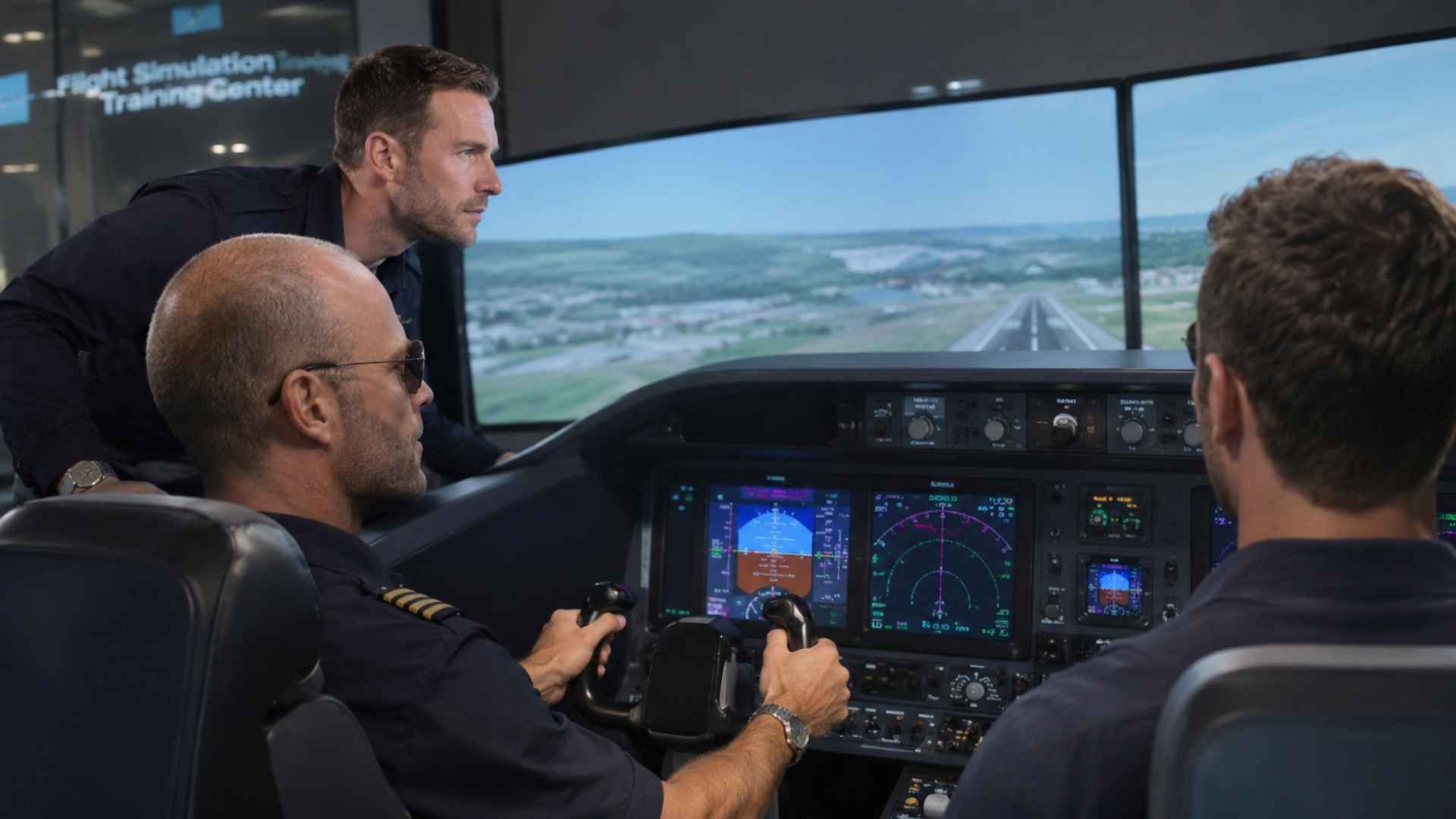
Cockpit instruments and flight controls form the connection between pilot decisions and aircraft behavior. Instruments show attitude, airspeed, altitude, direction, and system status, while control inputs change the aircraft’s motion. In flight simulation, these elements are especially important because the pilot cannot rely on the physical sensations available in an actual aircraft. Accurate indications and predictable control responses provide the information needed to interpret each phase of a simulated flight.
Flight decks differ substantially between aircraft types. Light training airplanes may use individual analog gauges and direct mechanical controls, whereas modern airliners typically combine electronic displays, flight management computers, and powered control systems. These differences affect cockpit procedures as well as the aircraft’s response to pilot commands. Simulation software can represent both arrangements, although the depth of system modeling depends on the aircraft model rather than the appearance of its instrument panel.
Several cockpit functions must also be considered together. Flight instruments indicate what the aircraft is doing, navigation equipment identifies its intended path, and the flight control system determines its actual movement. Automation can connect these functions, but it does not eliminate the need to monitor their operation. For virtual pilots, recognizing the distinction between displayed guidance and physical aircraft response helps prevent errors during departures, turns, descents, and approaches.
Cockpit Instruments and Information Flow
Traditional instrument panels separate six commonly taught flight indications: airspeed, attitude, altitude, turn coordination, heading, and vertical speed. Electronic primary flight displays, or PFDs, can combine these indications on one screen. Many use an artificial horizon with airspeed and altitude tapes, accompanied by heading and vertical speed information. The values are derived from aircraft sensors and associated processing systems, meaning a realistic simulation must model more than the graphics visible on the display.
Multifunction displays, or MFDs, commonly present moving maps, navigation data, and selected aircraft information. Airliners may additionally use dedicated engine and system displays to present operating parameters and warnings. The flight management system can store route and performance information, while the flight director displays pitch and roll guidance for the pilot to follow. These features serve different purposes: a plotted route is not evidence that the autopilot is engaged, and a flight director command is not itself a control surface movement.
Primary and Secondary Flight Controls
Fixed wing airplanes normally rely on three primary control functions: roll, pitch, and yaw. Ailerons primarily govern roll around the longitudinal axis, elevators or stabilators govern pitch around the lateral axis, and the rudder governs yaw around the vertical axis. Secondary controls include flaps, leading edge devices, spoilers, and trim systems, depending on aircraft design. Their purpose is generally to alter lift or drag characteristics, manage control forces, or support particular flight phases rather than replace the primary controls.
Roll, Pitch, and Yaw Inputs
During a conventional right turn, the right aileron rises while the left aileron lowers, creating a difference in wing lift that produces right roll. Elevator input adjusts pitch, and rudder input helps coordinate the maneuver. Differential drag can create adverse yaw, particularly when larger aileron deflections are required. Simulator models that represent these interactions allow pilots to observe the difference between merely banking the aircraft and maintaining a coordinated turn. Actual control requirements vary with airspeed, configuration, and aircraft design.
Trim, Flaps, and Spoilers
Trim reduces the sustained control force needed to maintain a desired flight condition; it does not independently guarantee a constant altitude or airspeed. Flaps and leading edge devices can increase lift at lower speeds, but their use also changes drag and sometimes pitch behavior. Spoilers disturb airflow over portions of the wing and may serve as speed brakes, roll control aids, or ground lift dumpers. In a simulator, realistic deployment effects matter more than whether the cockpit lever or switch moves visually.
Mechanical, Hydraulic, and Fly by Wire Systems
Smaller airplanes often transmit pilot inputs through cables, pushrods, and related mechanisms. Larger aircraft may use hydraulically powered actuators because aerodynamic loads make direct manual operation impractical. Fly by wire systems transmit commands electronically to flight control computers, which determine actuator commands according to the aircraft’s design and operating mode. These architectures are not interchangeable. A faithful simulation should distinguish manual linkages, powered assistance, and computer mediated control, including any applicable limitations or failure indications.
Autopilot Behavior and Simulator Fidelity
Autopilots control aircraft movement through selected operating modes, often using commands for heading, altitude, vertical speed, or navigation path tracking. Depending on the installation, the system can follow flight director guidance and programmed flight management routes. However, selecting a target does not always activate the corresponding mode. Mode annunciations reveal what the automation is currently doing, so monitoring them is as important as entering values into the control panel. The available functions and engagement restrictions differ between aircraft types.
Simulator fidelity can be assessed through observable relationships rather than cockpit appearance alone. For example, changing flap settings should produce aircraft specific aerodynamic effects, and trimming should alter the force or input required to hold attitude. Selected navigation modes should follow their documented logic, while equipment failures should generate appropriate indications when those failures are modeled. These checks help separate visually detailed aircraft packages from simulations that reproduce meaningful system behavior under changing conditions.
Consumer flight simulators can support procedural familiarity and demonstrate the interaction between cockpit displays, manual controls, and automation. They should not be treated as equivalent to qualified training devices merely because their aircraft panels look realistic. Regulatory qualification involves prescribed evaluation standards and defined training uses. Within recreational virtual aviation, the most useful approach is to compare simulated behavior with the applicable aircraft documentation, recognize the limits of the software, and maintain consistent instrument and mode awareness throughout each flight.